

Integration
The form displays the installed integrations. It is possible to import orders from ecommerce systems such as WooCommerce, Prestashop, Shopify, OpenCart etc.
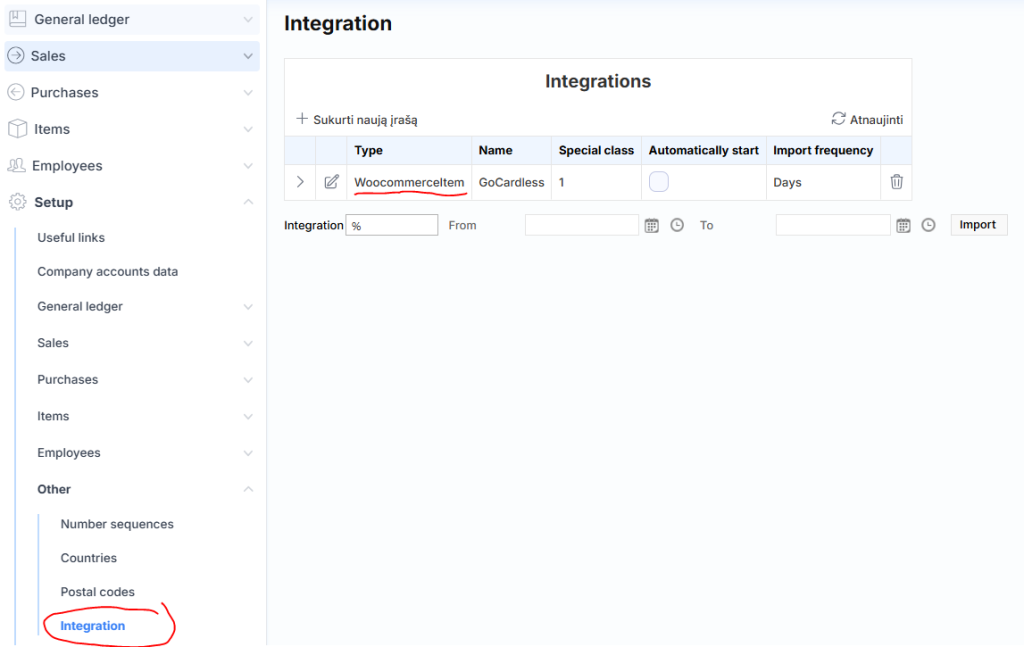
Where each integration has its own parameters, and the general settings specify whether to run the integration automatically and at what frequency.
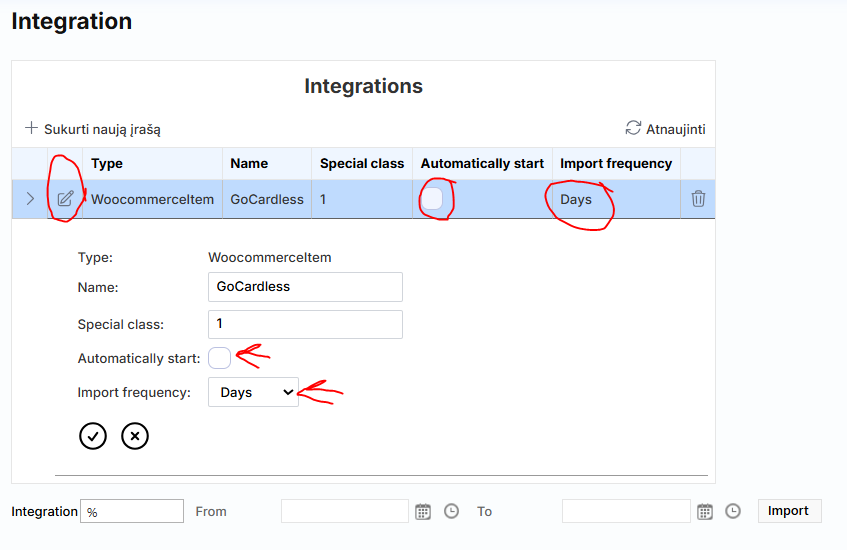
Frequency explanations:
- Minutes – starts at 7:00, every 5 minutes, 12 hours, imports from the previous day
- Hours – starts at 7:00, every hour, 12 hours, imports from the previous day
- Daily – runs from 3:00-5:00, imports a period of several previous days. Also checks and imports from the beginning of the previous month on the 20th of the month.
- Weekly – runs on Mondays 3:00-5:00, imports the previous week
- Months – runs on the first day of the month 2:00-3:00, imports the previous month
Manual integration launch
In the lower part, you can choose to initiate one, several, or all integrations by specifying a date range, e.g. import sales for a certain period from an e-store.

The default “%” character would trigger the import of all available integrations for the specified period. If you want to trigger only one integration, replace the “%” character with the name of the integration, for example:

Integration performance
When you run the standard e-store integration, invoices will be imported according to the agreed settings – different stores may have different settings for what to filter by, what data to take and how to process them. If everything is fine with the imported data and if there are enough product balances (if the accounting is accurate) – invoices will automatically be registered in Sales invoices. Standard integrations do not import invoice numbers that are already attached to sales invoices or sales journals.
If an error occurred or the setting was set not to automatically post – a journal will be created for the invoices under Goods sales journals or Sales journals , depending on the accounting type.
- In journals, such accounts can be opened, checked, corrected and manually registered.
- Or, after finding out what is wrong and fixing it (e.g., a lack of balances), delete the log and run the integration again for that period.
If the error is not clear, you can try to register manually once it opens and an explanatory error message will be thrown.