

Access
Company users
The form shows which users have access to company data and with which roles:
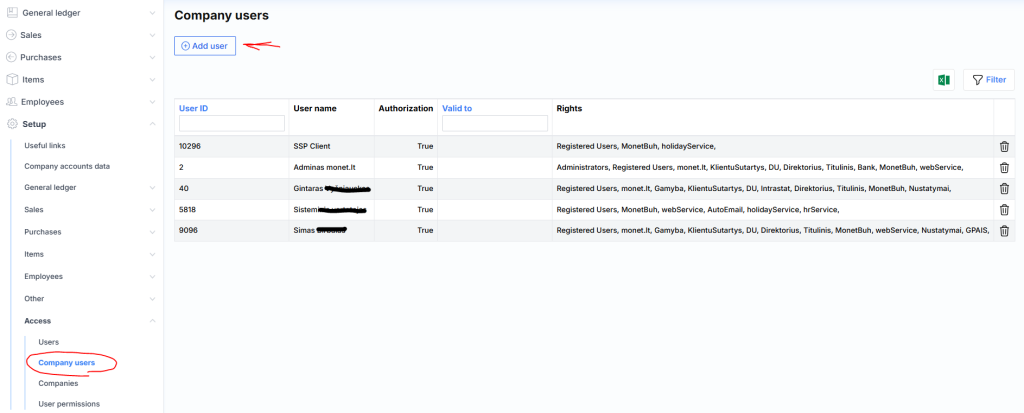
By pressing the delete icon,  the user can be disconnected from the company.
After clicking the Add user button, the following window pops up:
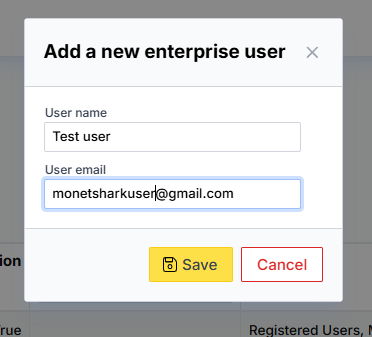
Where it is necessary to specify the user’s login name and e-mail. If the system finds such a user, it will grant him access to company data, and the user will be reflected in the list above.