

Return with cost price
If a sales return needs to be entered and the return cost specified, this can be done in two ways:
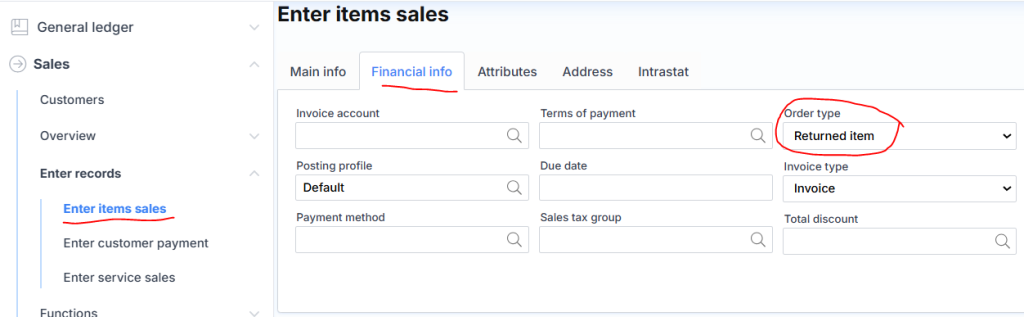
First method: The cost is specified manually by the user. When creating a sales order, the sales type must be indicated:
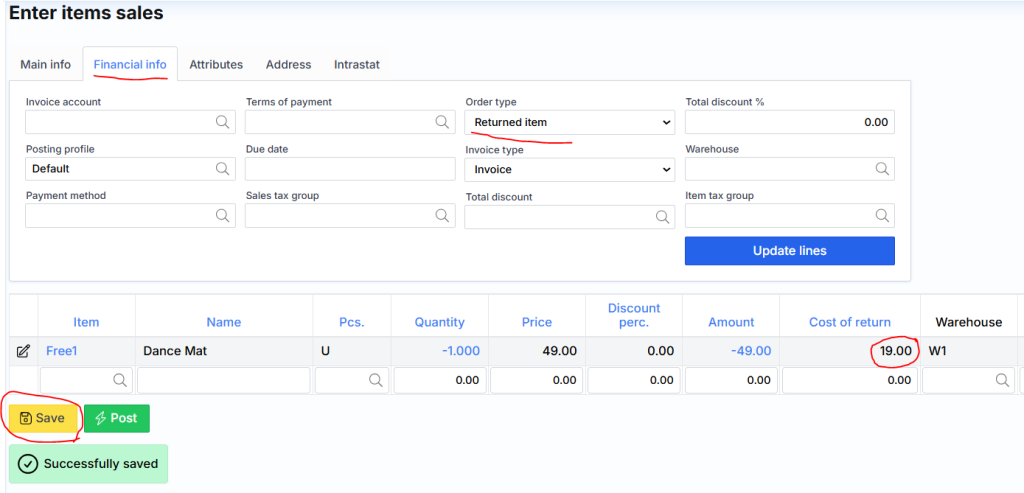
Once the order is saved, a new column will appear in the lines – Return Cost.
Second method: The cost is selected automatically by the system. The return is created by navigating to the list of invoices, locating the desired invoice, and clicking on its number to access the invoice card (lines). There, click Create credit note.
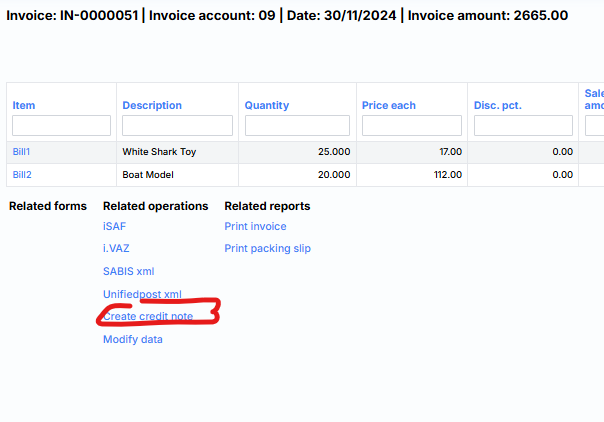
The system will create a sales return based on the selected invoice.
⚠️ Note: Return copying can only be performed once. If attempted a second time, the system will no longer allow it. In such cases, the return must be processed using the first method described above.