

Purchases
Supplier transaction settlement
Supplier transactions are settled after the supplier card is opened.
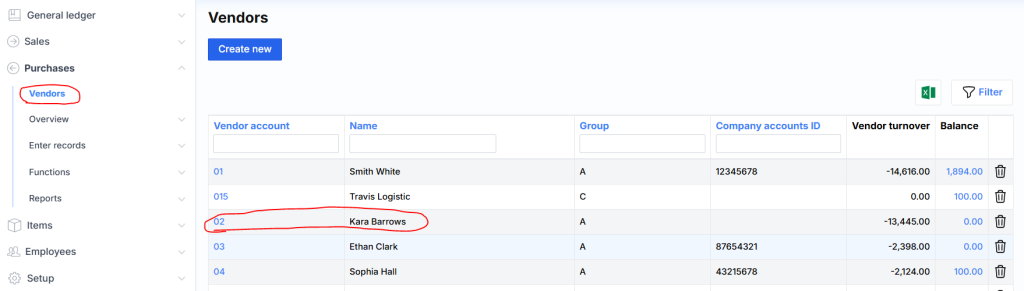
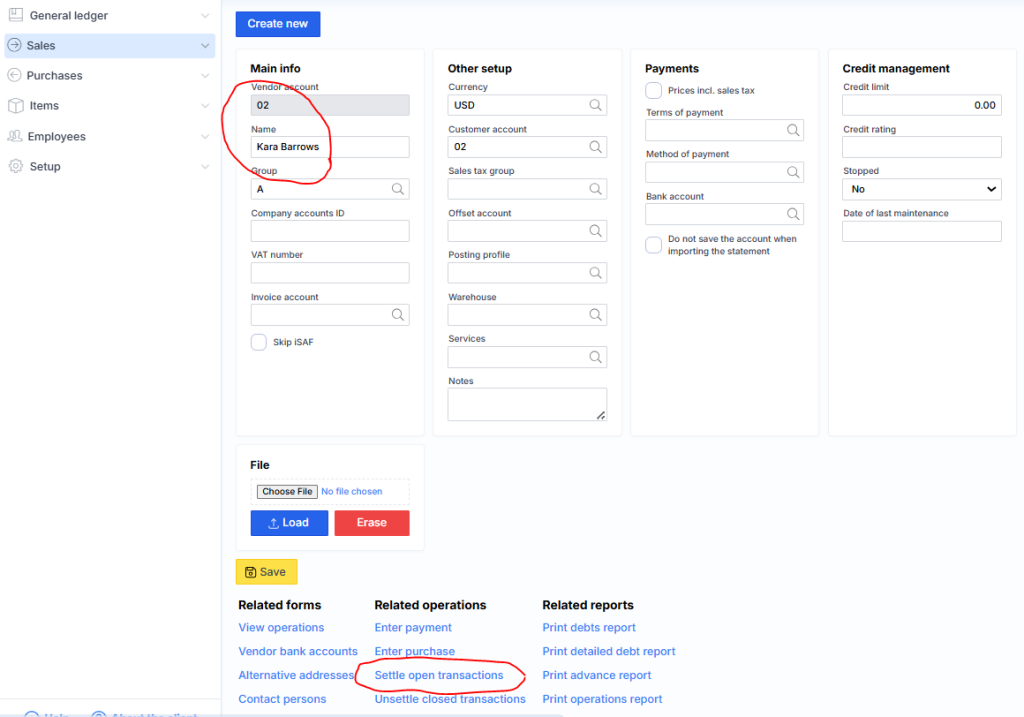
and by clicking the red marked link Settle open transactions :
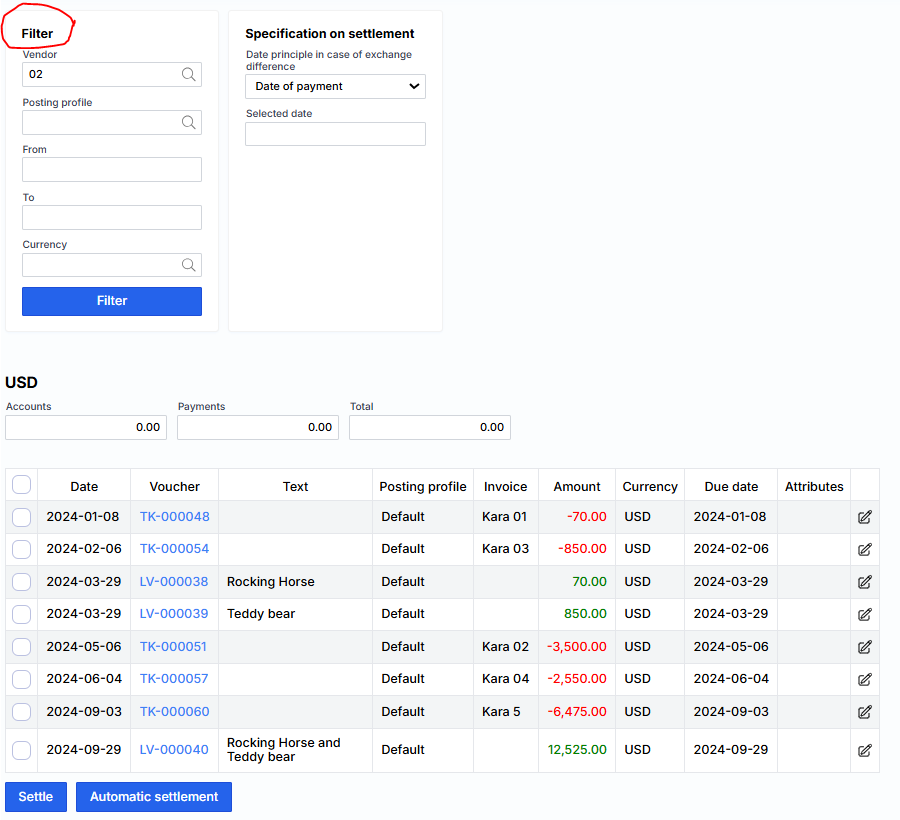
The settlements window opens, showing payments and invoices. If there are a lot of transactions, you can use a filter.
To settle a specific invoice, we mark it and the corresponding payment:
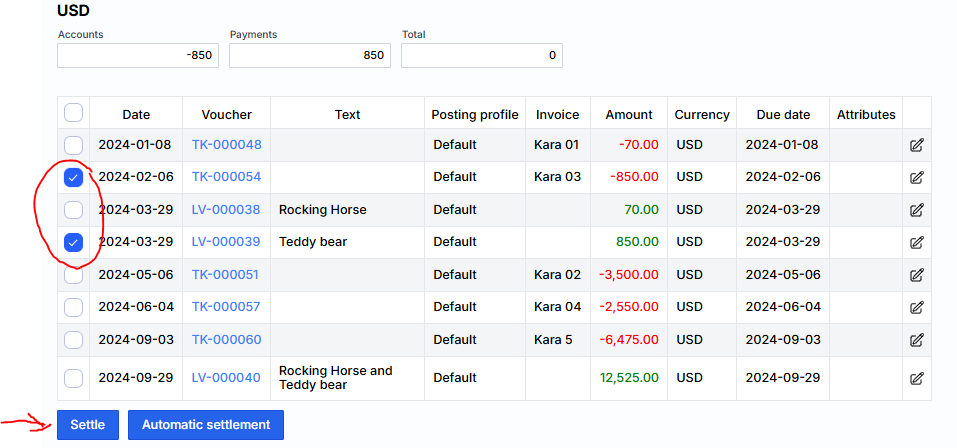
And click Settle . This way we mark other invoices and payments in pairs. When you are finished with this supplier, you can select another one using the filter.
Note: The filter will only show suppliers that have open transactions.