Enter payment to vendor
This form records the supplier’s payment. Since bank transactions are usually imported, this form is the most convenient to use when entering/issuing cash expense orders.
The upper part consists of the following fields:
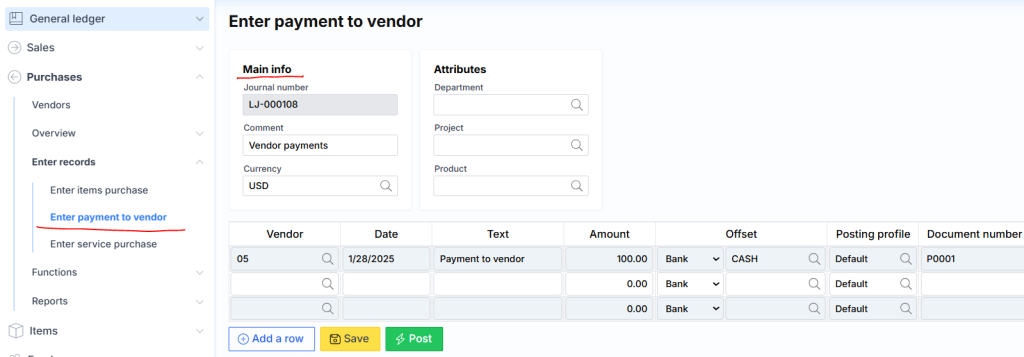
where:
Basic information
Journal number – unique log number assigned by the system.
Comment – description or note of the log.
Currency – the transaction currency, usually offered according to company settings.
Attributes
Department – the proposed division when creating new rows.
Project – the proposed project when creating new rows.
Product – the product offered when creating new lines.
The lines part of the journal consists of the following fields:

where:
Vendor – supplier code.
Date – indicates the financial date of the transaction.
Text – description of the operation.
Amount – enter the payment amount.
Credit – credit amount.
Offset – the connection of accounts in the same receipt, where the type can be one of five:
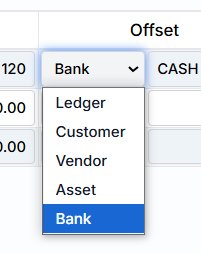
but the most commonly used type is Bank and the cash register code (identifier) is selected.
Document number – it can be entered (if an already printed cash order is entered) or if you do not indicate it and form a revenue order from the Monet cash register, the system will assign a number.
The bottom part consists of the following buttons:
where the first three are standard:
Add Row – Creates a new empty log row.
Save – save the journal data on the server
Post – register the journal financially (fixed in the general ledger and related modules).
And additional:
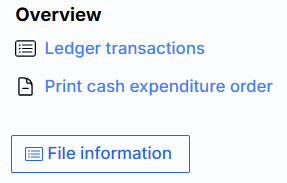
Ledger transactions – ledger transactions related to this journal generated after the registration exhibition. The link is inactive until the journal is registered.
File information – Scanned documents can be attached. The attached file looks like this:
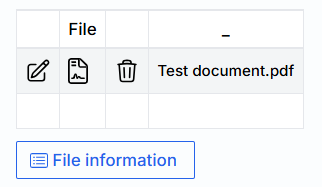
where are the icons:
 – edit attached file.
 – delete attached file.
 – change the file or its description.
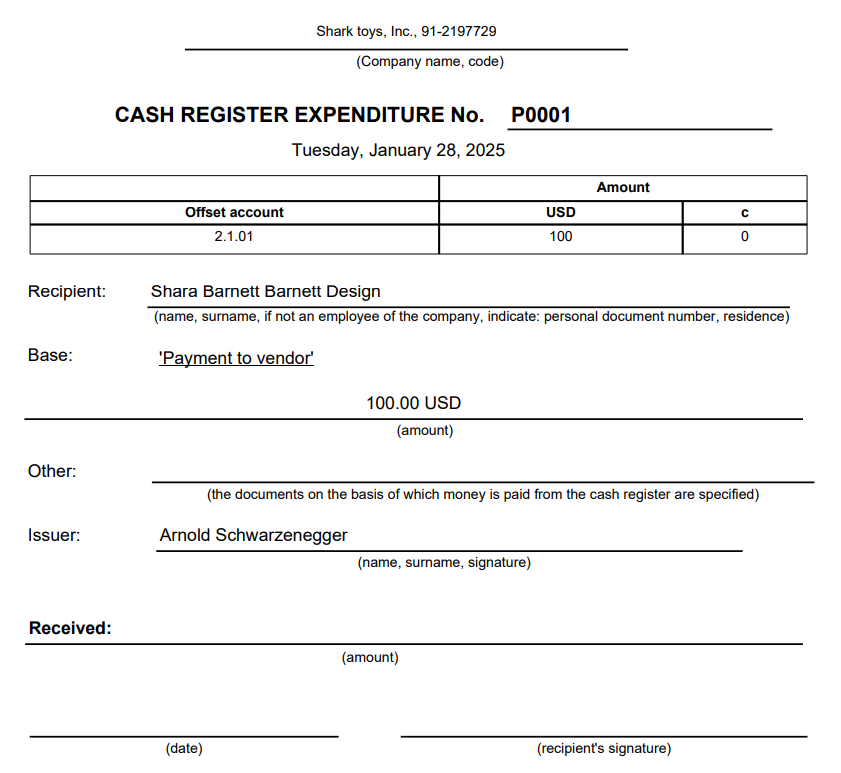
Print cash receipt order – will generate a cash receipt order. The document itself will look like this: