

VAT closing
Value Added Tax (VAT) can be closed monthly, quarterly or semi-annually. This is managed through the company data setup form:
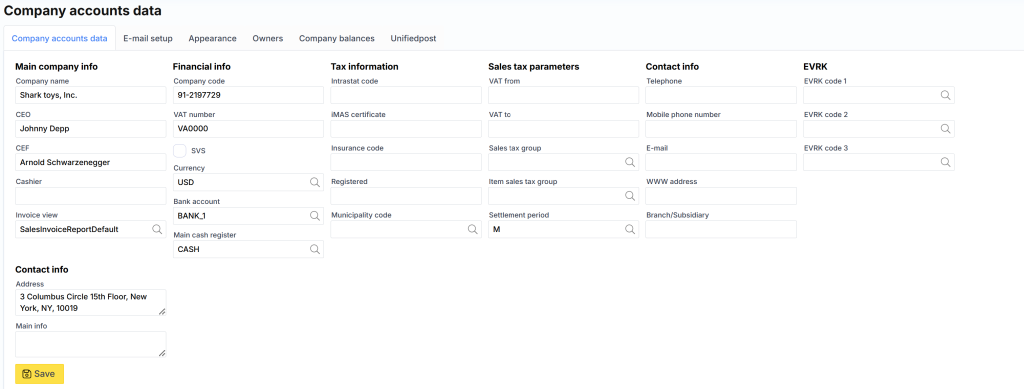
The setting itself is available here.
In the VAT closing form, you need to select any date from the month you want to close, the registration date if it does not coincide with the first date (the old VAT period is closed) and the Posting profile. According to it, the VAT tax payable or receivable will be added to the vendor (tax authority).
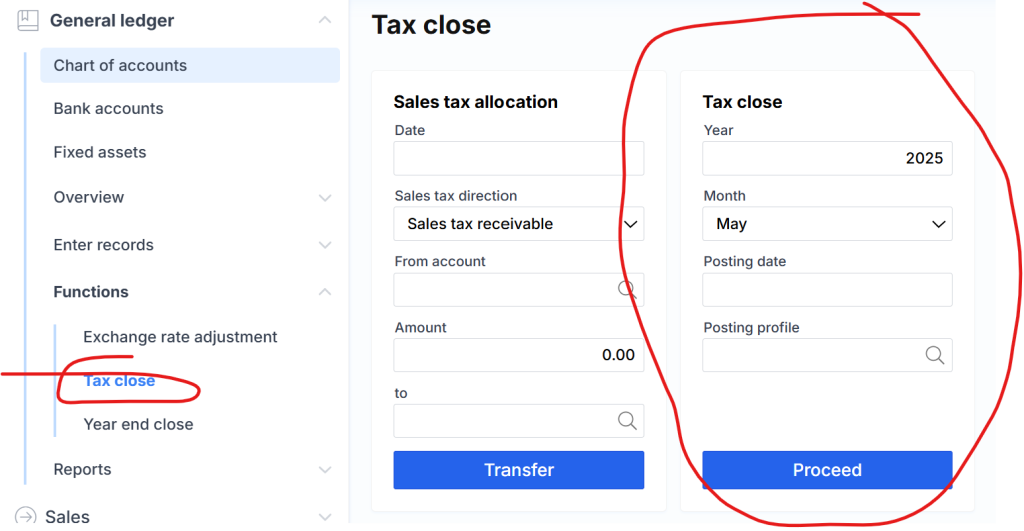
After closing the VAT, the system will automatically block the corresponding period and prevent the registration of new VAT (only VAT) transactions.
VAT closing closing amounts can be viewed in the following report :
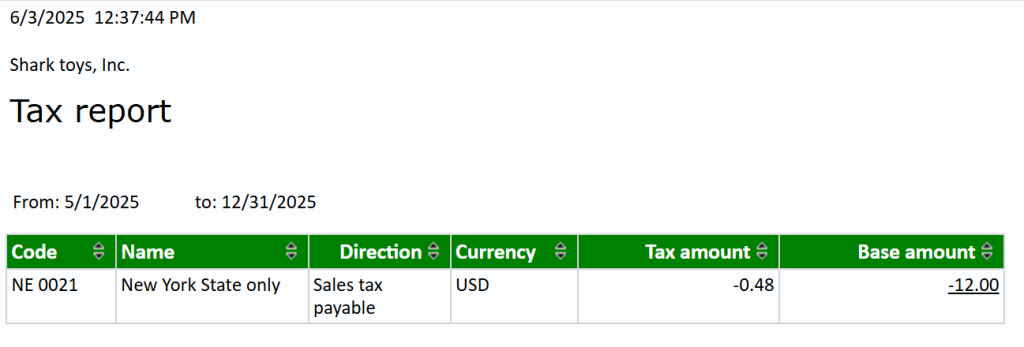
It shows receivables and payables according to VAT rates. By clicking on the number in the Base amount column , you can see the details:

This report is also useful, when you want to check whether transactions have been registered after VAT closing (left not closed).