Ledger journal import
Sometimes it is necessary to enter many transactions that we have been saved in a text (or Excel) file. In such cases, the data can be imported, thus avoiding the manual effort of inputting journal entries.
The import itself is executed in the General ledger journal, and the import method can be created and set up via Menu/Settings/General Ledger/Bank Transaction Import/Export. In this example, an import method with code Test has been created.
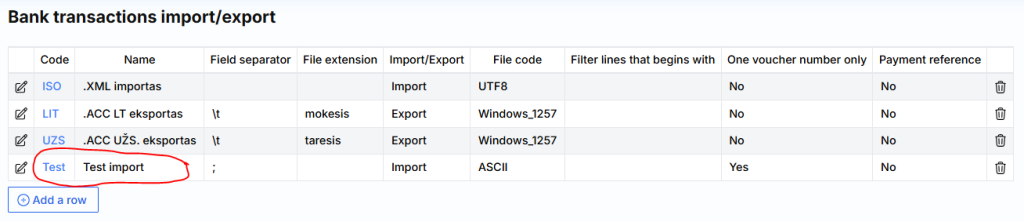
By clicking on the code Test link, you are taken to the import columns configuration. Here you specify which fields correspond to the file columns.
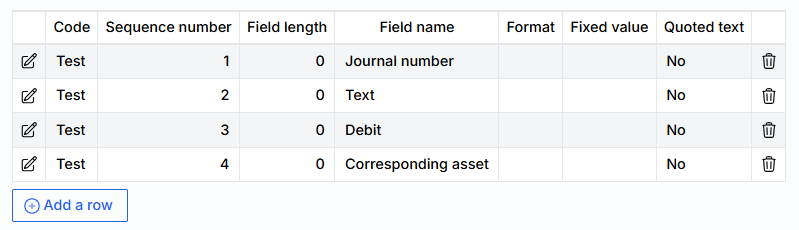
The file example looks like this:

Attention: The imported amount is divided by 100, meaning if you specify 123 in the text file, it will import as 1.23.
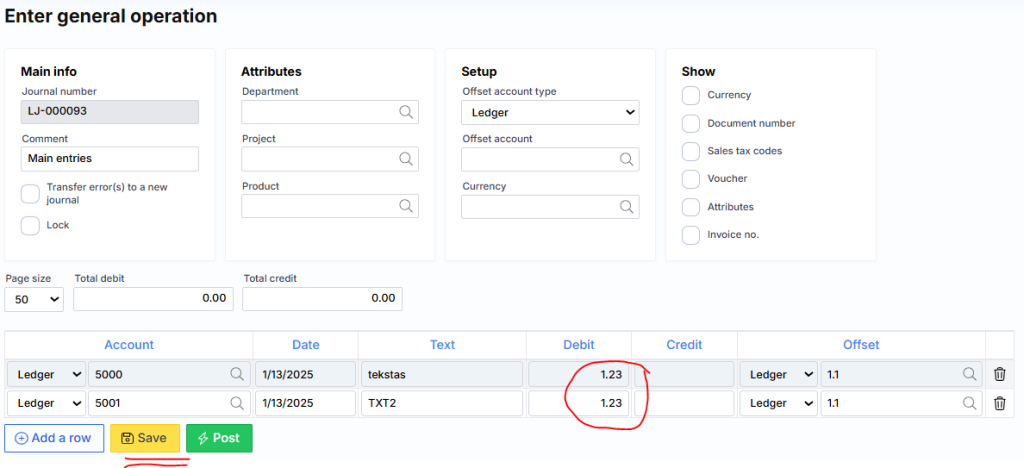
After importing the file mentioned above, the following result is obtained: