Bank transaction import
The purpose of importing bank transactions is to avoid manual work when entering data into the accounting system about received receipts and made payments, as well as bank commissions. Imports can be of two categories:
- Automatic direct,
- Automatic indirect,
- Manual.
Automatic direct import means that you can integrate Monet with your bank directly, where the accounting system itself reads the statement from the bank account transactions. The following banks and payment institutions are currently supported:
- Seb,
- Swedbank,
- Luminor,
- Paysera.
Automatic indirect – data is read through the intermediary GoCardLess. This method supports practically all banks and payment institutions in Lithuania and the European Union (and beyond): https://gocardless.com/bank-account-data/coverage/ .
The manual process consists of the following steps:
- Downloading file from bank page.
- Importing file into the journal:
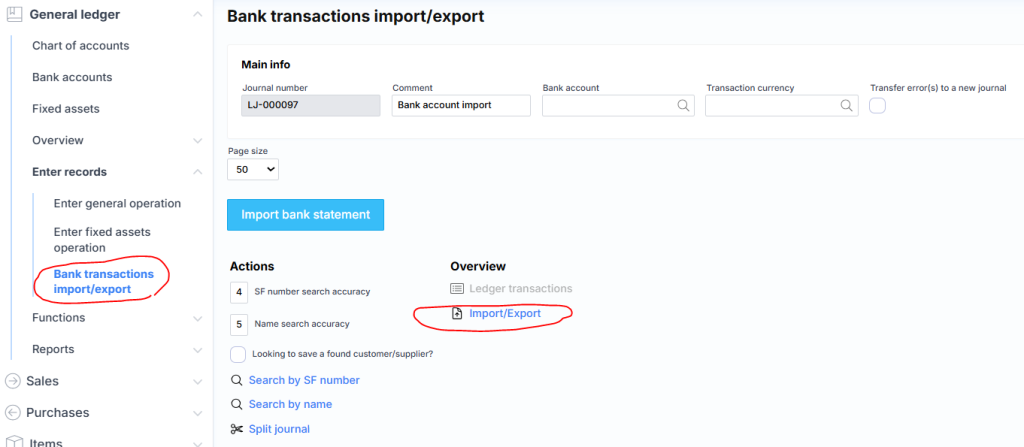
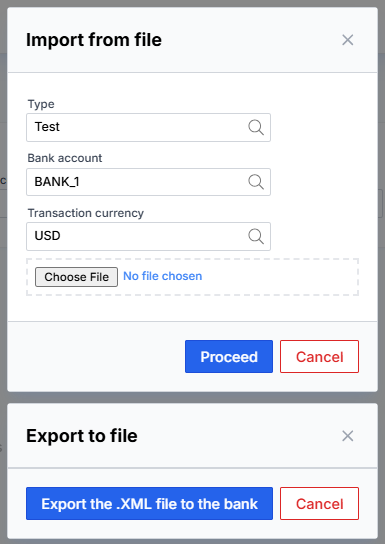
By clicking “Import/export” link the following window will open: