

Customer creation
You can create new or edit existing customers by going to the customer list form .
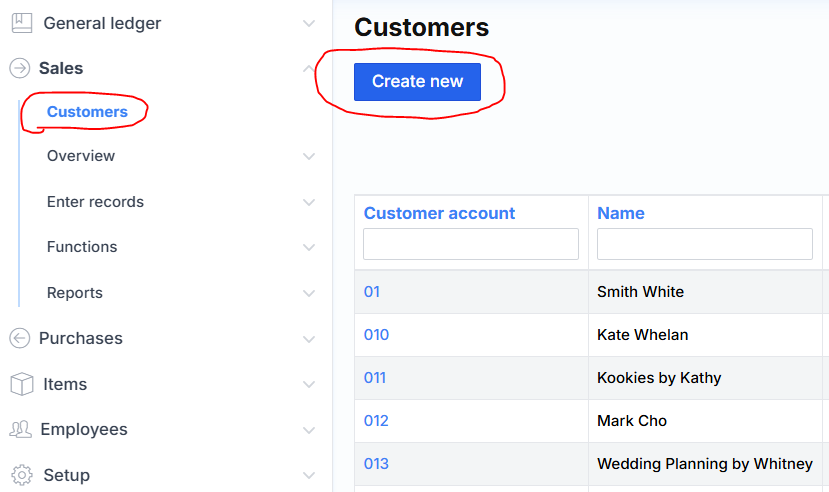
After clicking create new, the following window pops up:
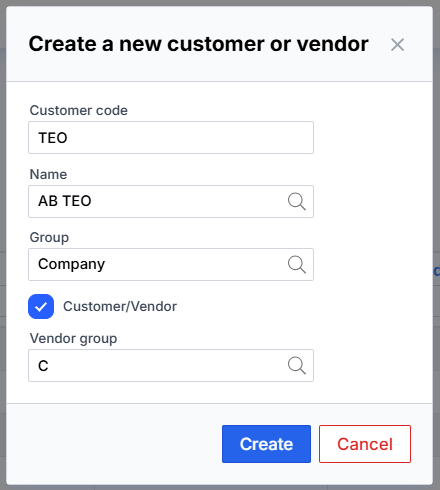
Customer code (code or ID), this is a field for customer identification. It must be unique. It can be made from numbers (not to be confused with company/personal code) or letters. It is recommended to use a letter identifier, for example to code the company TELIA for Telia Inc. In this way, it is easier to determine which client it is from the code in various forms.
The system itself suggests the name from the company register according to the entered text part. After choosing the suggested value, the system will automatically fill in data such as company code, VAT payer code, address, manager.
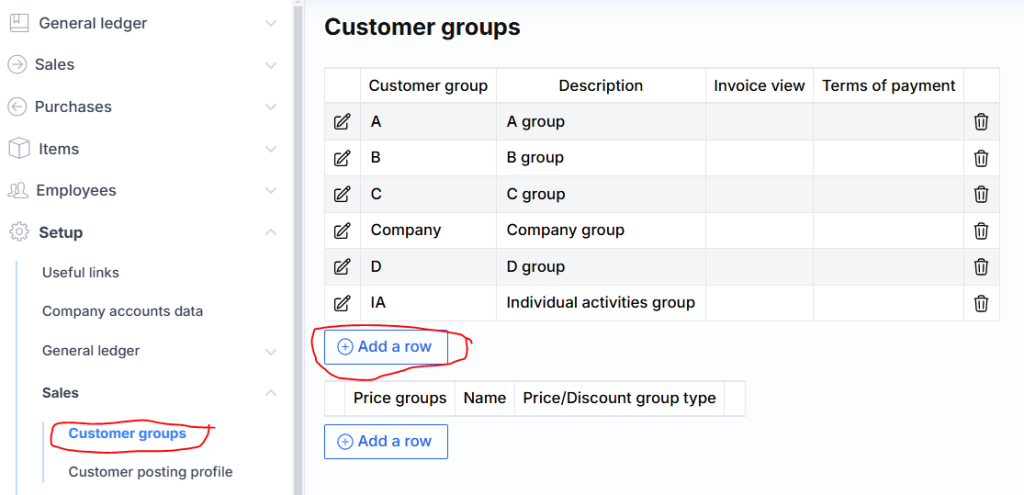
The group field is used to divide customers according to the desired groups. They can be specified here .
Customer/supplier – the check mark indicates whether the system will automatically create a supplier card (check if you not only sell to this person, but also buy from him).
The supplier group is indicated in order for the system to create a supplier card, a supplier group must be selected from the list. This field is inactive if unchecked and does not need to be filled out.