

Export of bank operations
As in the case of imports, exports can be of two types:
- automatic,
- Manual.
Automatic export
Automatic export is carried out by filtering supplier transactions. The card of a specific supplier opens and we press Operations or we immediately go to the operations of all suppliers and choose to show only Open :
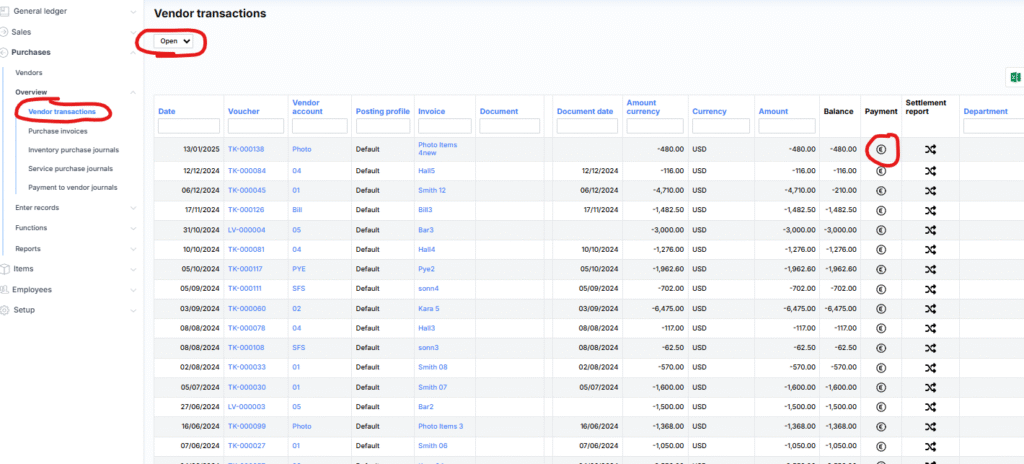
To transfer the payment information to the bank, press the € icon next to the transaction. After a successful transfer, MonetShark will provide an information message, and the payment process itself can be completed by logging into the bank:

After clicking on the link, the bank will show all transferred payment blanks:

Manual export
The purpose of the export is to prepare payment templates in the MonetShark system, which can then be approved by the bank.
The whole process consists of the following steps:
- Make sure that all suppliers have bank accounts;
- Form payment lines;
- Export file from MonetShark;
- Import the file into the bank.