

Starting data
After the creation of the company, if the latter has its own history, the data can be imported. There are two ways to do this:
- Using standardized text (or CSV) Excel tables;
- Using magazines.
Importing data through Excel tables
A sample Excel file can be downloaded using this method:
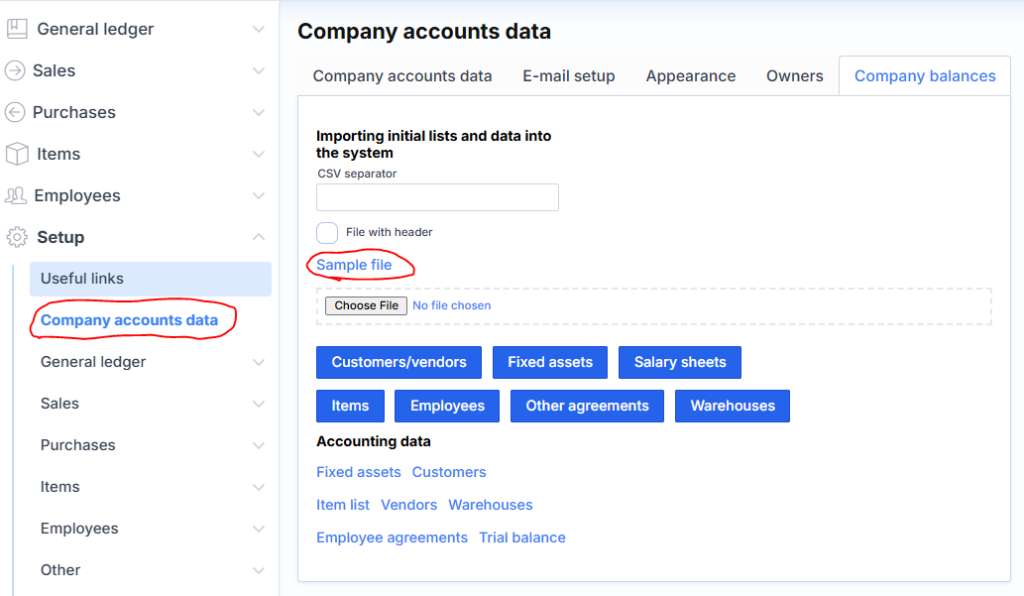
The downloaded Excel file contains explanations and examples of data import in separate sheets. After filling in the following data according to the given recommendations, save each sheet in a separate CSV file and import it through the same form:
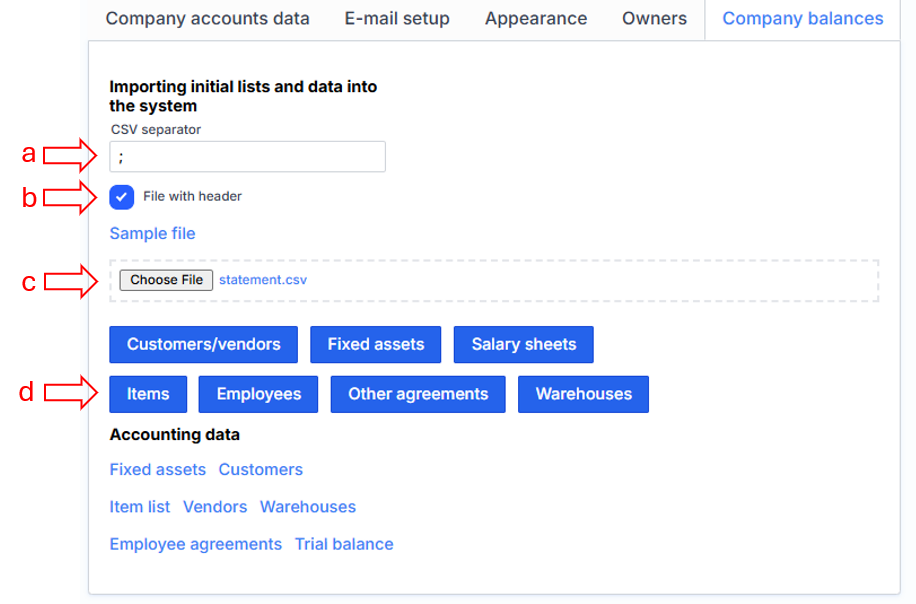
where we specify (a) the CSV tab (field separator), which is usually a semicolon (;). If the file contains column names, then we put a check mark File with a header (b), select the file itself (c) and indicate what data it is from the available buttons (d), for example: marked Items. After clicking this button, Monet will import by creating the specified accounts, create journals and posts.
Entering data through journals
It is best to import data on the last day of the previous month. For example, if you want to start accounting in the new system from May 1, it is recommended to create balances on April 30.
Balances can be entered through the specific journals of the respective module or through the general journal:
MENU: General ledger/Enter records/Enter general operation
Use the off-balance sheet account as a correspondent account for entering all balances (eg: account 9.01). If the balances are entered correctly, the balance of this account will be zero after all postings.
The data is of the following types (modules):
- general ledger (GDL) accounts,
- fixed assets, bank accounts,
- suppliers and customers
- items (inventory).
To those DK accounts, to which the amounts do not go directly (for example: 2210 “Accounts payable to buyers”, the amounts go to it only through customers), the data is entered through the corresponding module (in the case of the example under consideration, by selecting the appropriate customer).