

Functions
Creating and sending invoices based on agreements
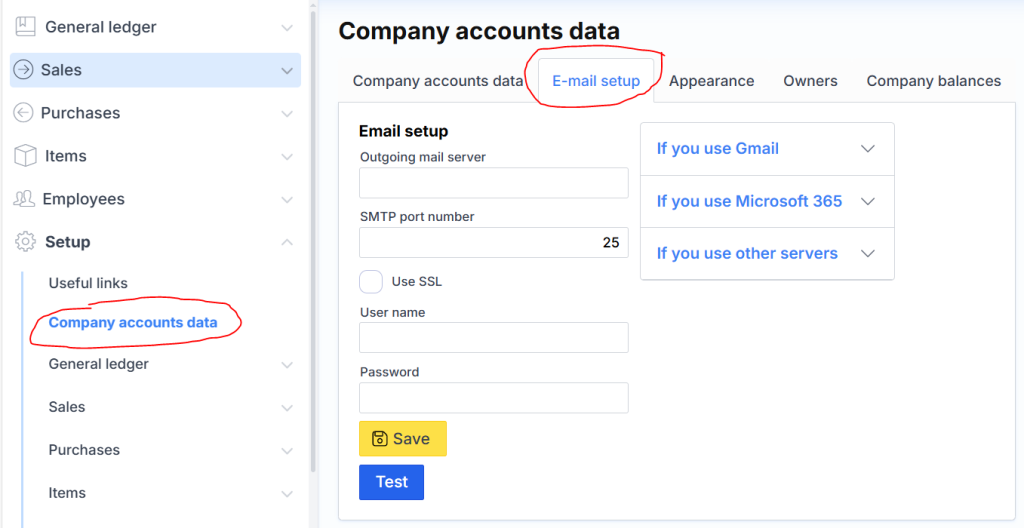
To send invoices from MonetShark directly to a client by email, you need to specify the mail server, user and password through which you will send invoices in the company setup form: :
After these steps, you can generate all invoices for that month at once and send them with one click. This is done in this form Sending invoices according to contracts :
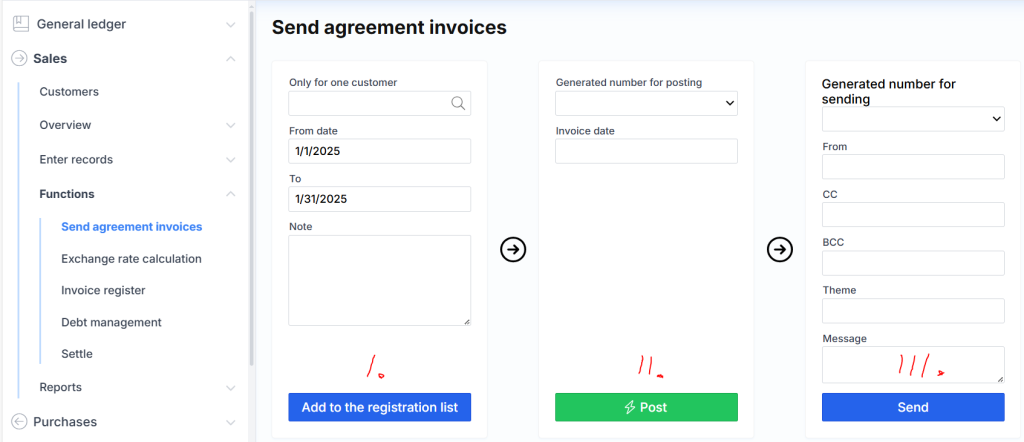
The process consists of three steps.
- Invoices are generated. Select a date range (month) and enter a note if necessary. Click Fill in the list for registration . The system will collect contract information and generate a specific number. The invoices themselves can be viewed and adjusted, if necessary, here before moving on to the next step:
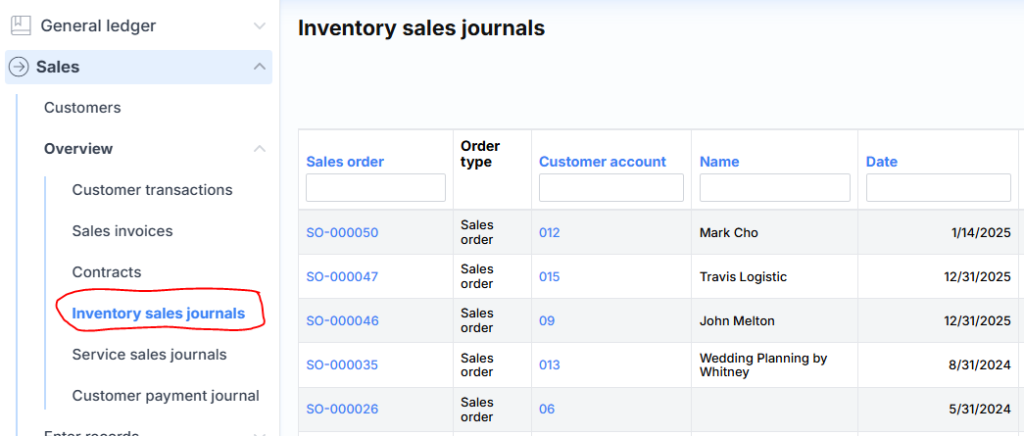
- Select a number from the list and specify the invoice date. By clicking Register , the system will register all generated invoices. The number will be generated again.
- By selecting the latter number, invoices can be sent to everyone in this step. The “From” field is not required if the company data includes a mailing address (of the user on whose behalf the letters are being sent).