Tax
This page contains six forms. In the top form, the supplier code is specified (most commonly this refers to the tax authority).
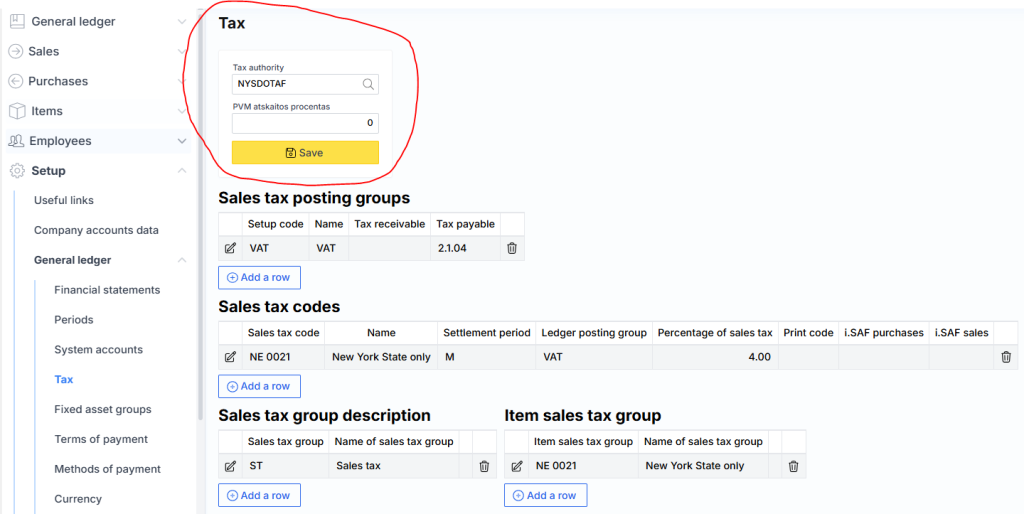
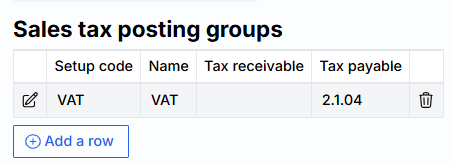
The second form indicates which general ledger accounts the VAT will be recorded to.
The third form displays the VAT codes.

Where:
- Sales Tax Code – Tax identifier.
- Name – Description of the tax.
- Settlement Period – Indicates how frequently VAT is closed. Options include: monthly, quarterly, semi-annually, or not closed.
- GL posting group – Value selected from the second form.
- VAT Percentage – Specifies the VAT rate.
- Print Code – Text displayed on the invoice. Example: “Article 96 of the VAT Law. VAT is paid by the buyer.”
- i.SAF Purchases – Identifier of the VAT code for purchases in i.SAF.
- i.SAF Sales – Identifier of the VAT code for sales in i.SAF.
Note: The VAT codes themselves are not directly used in MonetShark. Their application is determined by two fields: Sales Tax Group and Item Sales Tax Group. This pair of forms defines the usage logic.

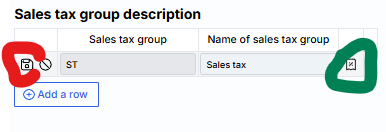
Both the Sales tax Group and the Item tax group can consist of one or more Sales tax codes. To view which codes are included in a group, click the edit (red-highlighted) icon, then in the opened form, click the green-highlighted icon:
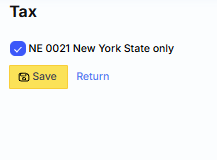
A list of codes opens, and a checkmark is placed next to the ones included in the selected group: